대부분 고가의 장비를 사용하는데 내가 추천하는것은 W9600 아몰레드빔이다
중고나라에서 10만원정도면 구입할수 있는데 비싼 빔만큼은 안되지만
캠핑장에서 이정도면 충분하다
나도 중고로 구입을 했는데 두번째보니까 은하수 현상이 나타났다
삼성as센터에서 1만원을 주고 신형렌즈로 교체받고 그 후로는 은하수 현상은 없다
내가 쓰는 다음팟인코더용 인코딩 프리셋을 올리니 필요한 사람은 가져가삼~
 아몰레드_빔.pes
W9600 아몰레드빔용 프리셋
아몰레드_빔.pesW9600 아몰레드빔용 프리셋


Tags are single words prefixed by a "@" symbol. Tags inform parsers how to present information and modify display of documentation as well as allow the IDE to define variable types. All tags are optional, but if you use a tag, they do have specific requirements to parse properly.
| Tag | Usage | Description |
|---|---|---|
| @abstract | Documents an abstract class, class variable or method. | |
| @access | public, private or protected | Documents access control for an element. @access private indicates that documentation of element be prevented. |
| @author | author name <author@email> | Documents the author of the current element. |
| @copyright | name date | Documents copyright information. |
| @deprecated | version | Documents a method as deprecated. |
| @deprec | Same as @deprecated | |
| @example | /path/to/example | Documents the location of an external saved example file. |
| @exception | Documents an exception thrown by a method — also see @throws. | |
| @global | type $globalvarname | Documents a global variable or its use in a function or method. |
| @ignore | Prevents the documentation of an element | |
| @internal | Private information for advanced developers | |
| @link | URL | |
| @name | global variable name | Specifies an alias for a variable. For example, $GLOBALS['myvariable'] becomes $myvariable |
| @magic | phpdoc.de compatibility "phpDocumentor tags". http://manual.phpdoc.org/HTMLframesConverter/default/phpDocumentor/tutorial_phpDocumentor.howto.pkg.html. | |
| @package | name of a package | Documents a group of related classes and functions. |
| @param | type [$varname] description | |
| @return | type description | This tag should not be used for constructors or methods defined with a void return type.[citation needed] |
| @see | element | Documents an association to any element (global variable, include, page, class, function, define, method, variable). |
| @since | version | Documents when a method was added to a class. |
| @static | Documents a static class or method | |
| @staticvar | type | Documents a static variable's use in a function or class |
| @subpackage | ||
| @throws | Documents an exception thrown by a method. | |
| @todo | Documents things that need to be done to the code at a later date. | |
| @var | type | A data type for a class variable |
| @version | Provides the version number of a class or method. |
In addition, some parsers allow two additional inline tags: {@id}, used to allow direct linking to sections in a tutorial, and {@toc}, used to generate a table of contents from {@id}s in the file. Think of {@id} like an <a name="idname"> HTML tag as it serves the same function.
For more in depth discussion of PHPDoc tags, see http://manual.phpdoc.org/HTMLSmartyConverter/PHP/phpDocumentor/tutorial_tags.pkg.html
얼마전 구글에서 Maps Tracks API를 발표했군요
API는 존재하는데 Services에는 API가 없길래 구글에 문의해보니 유료군요
Experimental라서 아직 공개를 안하는건지...흠
https://developers.google.com/maps/documentation/business/tracks/
API문서를 보니 Geofences 라는 항목이 눈에 띄더군요
경계를 정해서 그 안에 들어가거나 나올때 알람을 해주는 기능인데 Tracks API이
선박,항공,자동차,물류... 등으로 관제를 주타켓으로 하고 있네요
그래서 그런지 Entities 생성 예제도 자동차로 되어있고 type항목도
AUTOMOBILE,TRUCK,WATERCRAFT,PERSON 으로 정해져있습니다.
http://en.wikipedia.org/wiki/Geo-fence
한번 사용해 보고 싶었는데 아쉽네요.
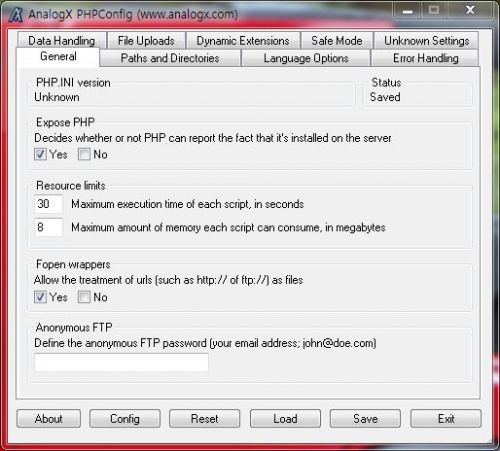
아 진짜...이거 한참 찾았다...어째 아이폰은 업그레이드마다 전에 됐던게 하나씩 안돼냐
ajax로 메세지를 계속 못가지고 오길래 한참을 찾았다....
뭐 자료가 없어 구글에도 거의 없다.
하나씩 다 까서 해봤더니
createRequest.open에서 안돼는건 찾았는데
원인이 뭘까 한참 생각해봤다.
혹시 ios 사파리가 같은걸 계속 호출하면 캐싱같은걸 해서 안가지고 오나?
그래 한번 해보자
createRequest.open(mode,url+'&'+ Date.now(),true);
그렇다 Date.now로 url을 계속 틀리게 했더니 됀다..ㅡㅡ;;
아쒸 처음부터 안되게 하든가..왜 ios6부터 안되게 하는거야!!
var date=new Date;
createRequest.open(mode,url+'&'+ Date.now(),true);

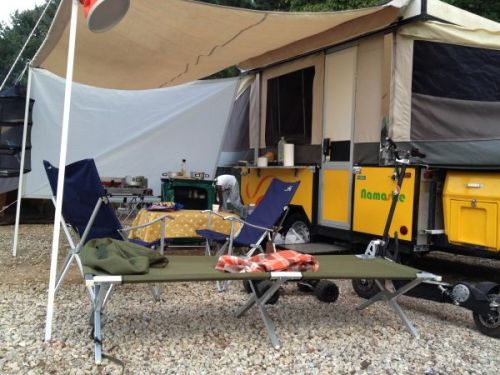
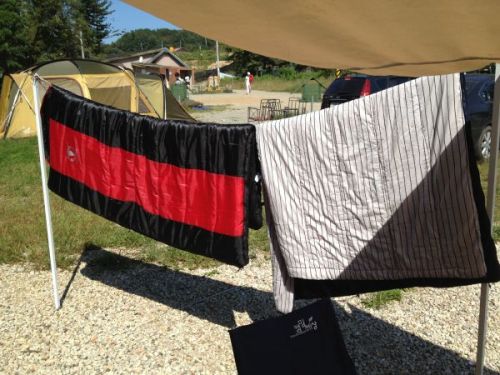
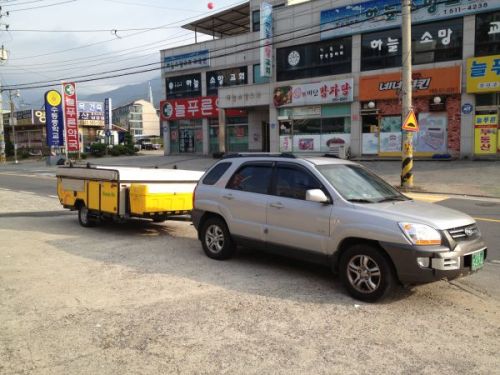
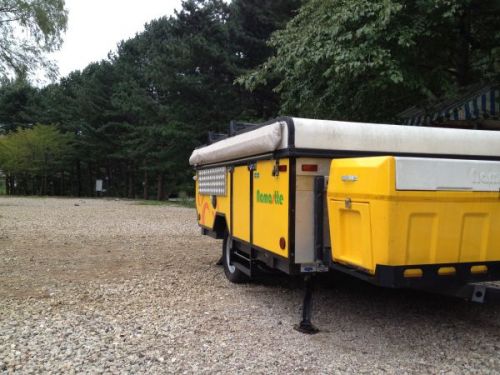
저는 뉴스포티지4WD로 나마스떼를 견인합니다.
캠장 나오다가 모래밭에 빠진적이 있는데 4WD LOCK하니까 잘 빠져나오더라구요~
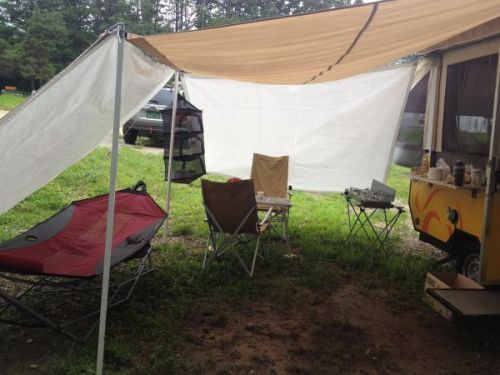
캠핑장 자리잡기~!
재질은 방수포~
처음에는 뒤쪽만 했다가
옆쪽도 추가 주문
사이즈가 맞는게 없어서 주문재단을 해야했음~
weight : 가중치 (default:1)
max_fails : 연결 재시도 횟수 (default:1회)
fail_timeout : 죽은서버 복귀시간 (default:10초)
down : 이서버는 밸런싱에서 제외
ip_hash : 하나의 사용자는 하나의 서버를 호출한다.
http {
upstream myproject {
ip_hash;
server 127.0.0.1:8001
server 127.0.0.1:8000 weight=3 max_fails=3 fail_timeout=30s;
server 127.0.0.1:8001 down;
server 127.0.0.1:8002 max_fails=3 fail_timeout=30s;
server 127.0.0.1:8003 max_fails=3 fail_timeout=30s;
}
server {
listen 80;
server_name www.domain.com;
location / {
proxy_pass http://myproject;
}
}
}